> For the complete documentation index, see [llms.txt](https://docs.creativeconners.com/docs/llms.txt). Markdown versions of documentation pages are available by appending `.md` to page URLs; this page is available as [Markdown](https://docs.creativeconners.com/docs/showstopper/showstopper-accessory-patch-panel.md).
# Showstopper Accessory Patch Panel
## GETTING STARTED
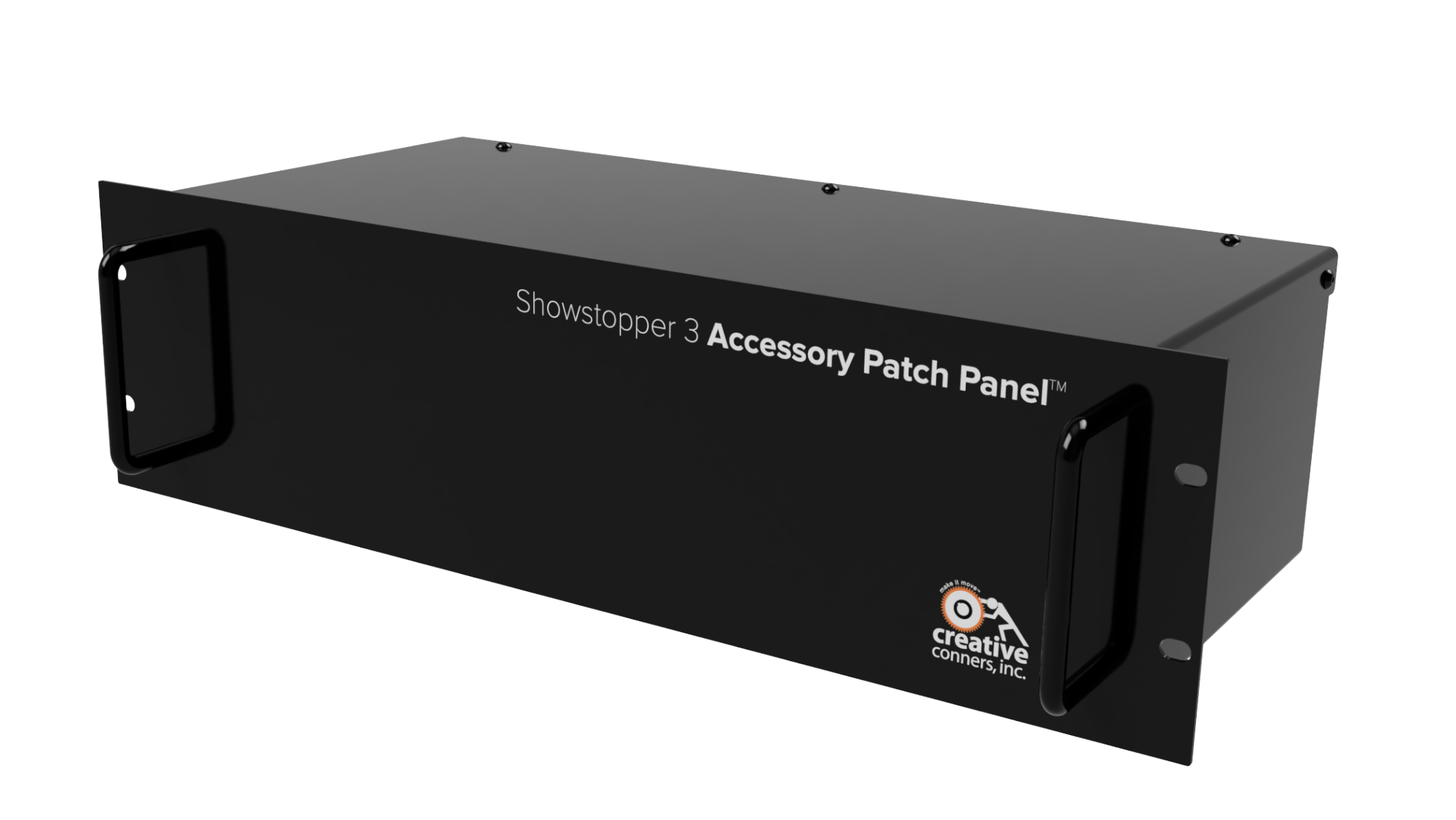
Congratulations on your purchase of Showstopper 3 Accessory Patch Panel from Creative Conners, Inc! The Showstopper 3 Accessory Patch Panel expands the capabilities of your Showstopper 3 Emergency Stop Network. The Showstopper 3 Accessory Patch Panel purpose built for permanent installation allowing you to connect Accessory devices around you venue with simple wire terminations and easy ability to patch into your existing Showstopper 3 Emergency Stop Network.
This manual will guide you through:
* Unpacking
* Installation
* Connecting Devices
* Troubleshooting
If you need help along the way contact us on our website ([creativeconners.com](https://www.google.com/url?q=https://creativeconners.com/contact-us/\&sa=D\&source=editors\&ust=1676052164182435\&usg=AOvVaw0myMDarJqCa8jko946vaki)), via email (), or by phone (401-289-2942 x2). We want your automation to succeed and we are eager to help you through any head-scratching issues.
## WHAT’S IN THE BOX?
* 1 x Showstopper 3 Accessory Patch Panel (3U)
If any of these components are missing, please contact us for a replacement.
## FEATURES
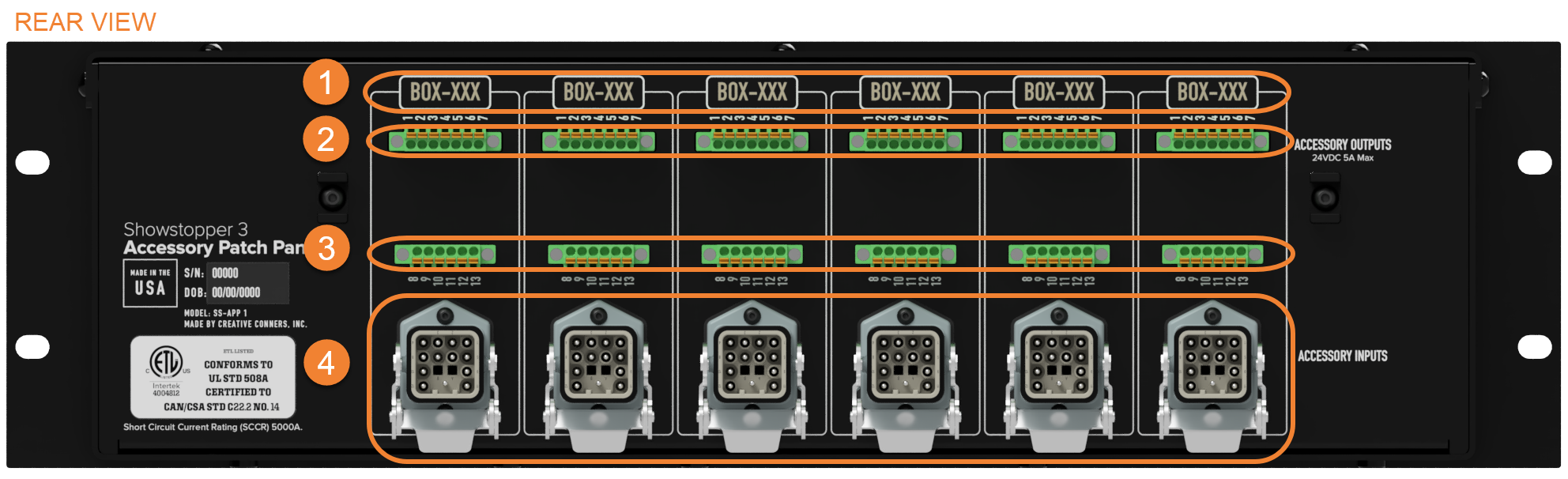
1. Label Placeholder- Convenient outlines for labeling the Control Connection Points around your venue.
2. 7 Pole Screw Terminals - (6) 7P 5A Female Mini Combicon Header Phoenix Contacts for terminating pins 1-7 for permanently installed Showstopper Accessory cables.
3. 6 Pole Screw Terminals - (6) 6P 5A Female Mini Combicon Header Phoenix Contacts for terminating pins 8-12 + GND for permanently installed Showstopper Accessory cables.
4. Accessory Input - 6 accessory input for connecting to the outputs of your Showstopper 3 Accessory Hub or Showstopper 3 Base.
## INSTALLATION
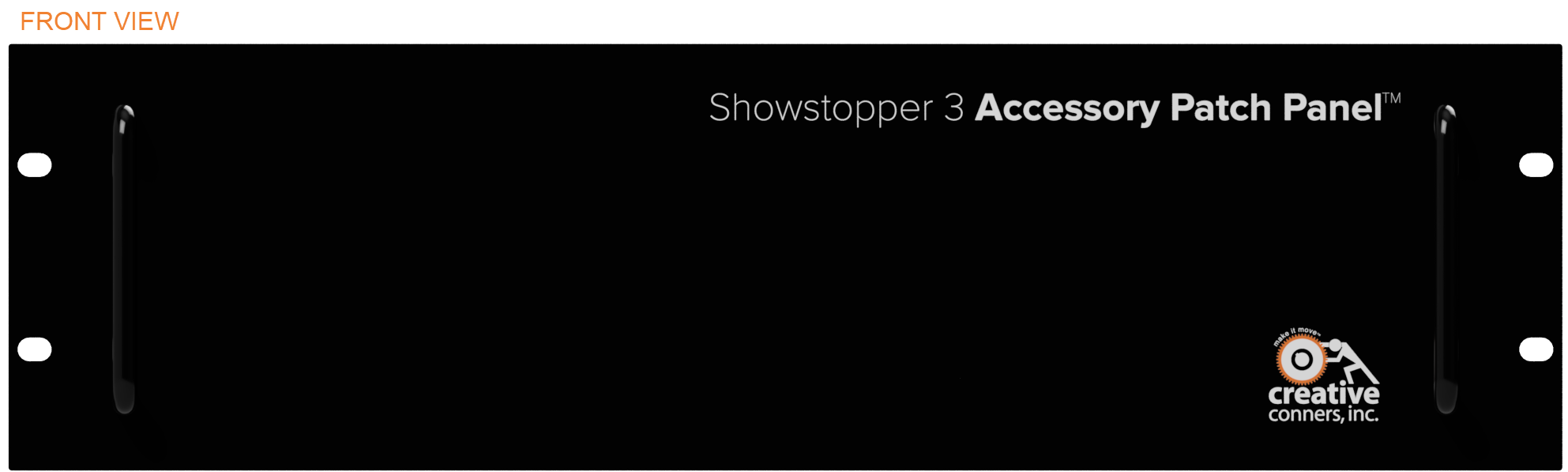
The Showstopper 3 Accessory Patch Panel is a 3U rack mountable case designed to fit in a standard 19" rack with (4) #10-32 rack-mount screws.
## MAKING THE CONNECTIONS
### ACCESSORY OUTPUT
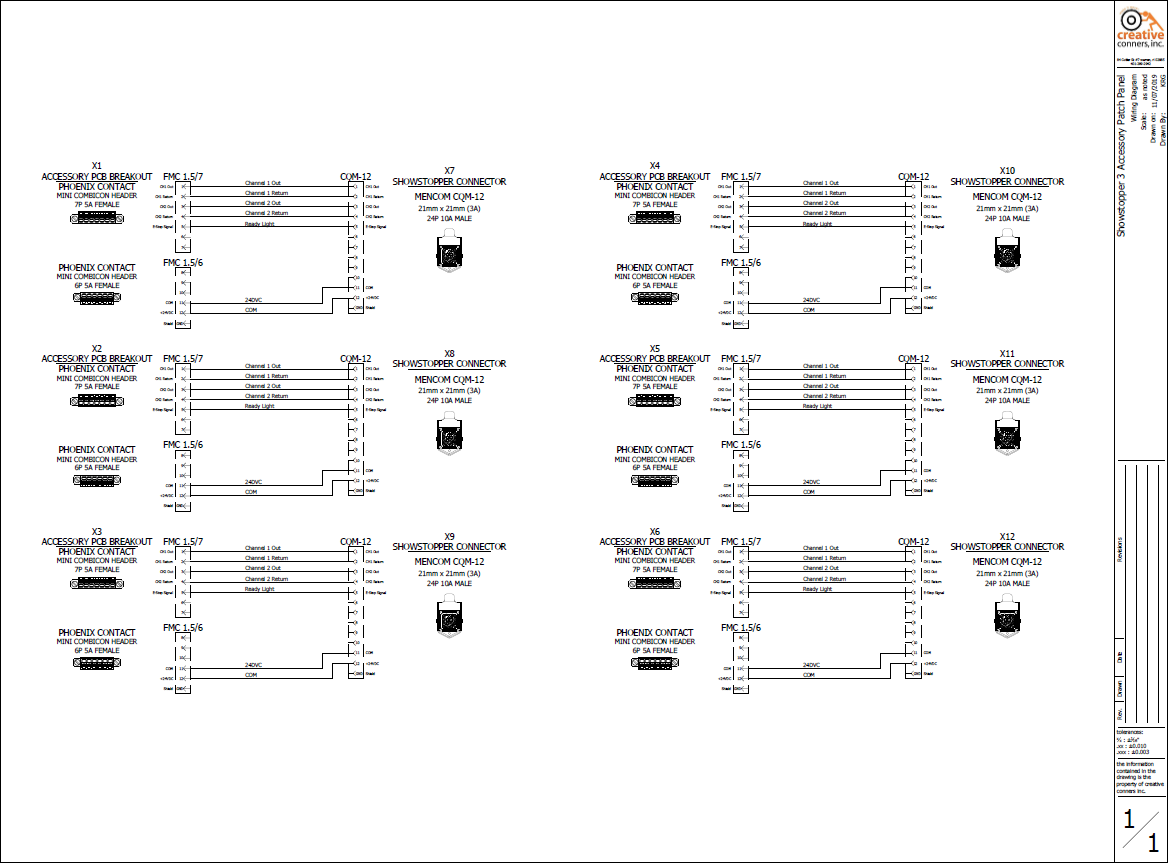
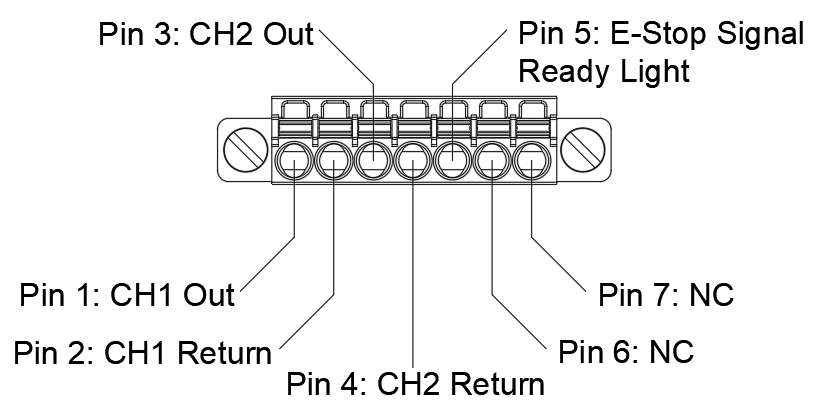
The Accessory output passes through power (+24VDC) to the accessory devices as well as Remote E-Stop capability. These connections are standard Female Phoenix Terminal Blocks. There are two sets of contacts: Pins 1-7 are wired into a 7P 5A Female Mini Combicon Header Phoenix Contacts:
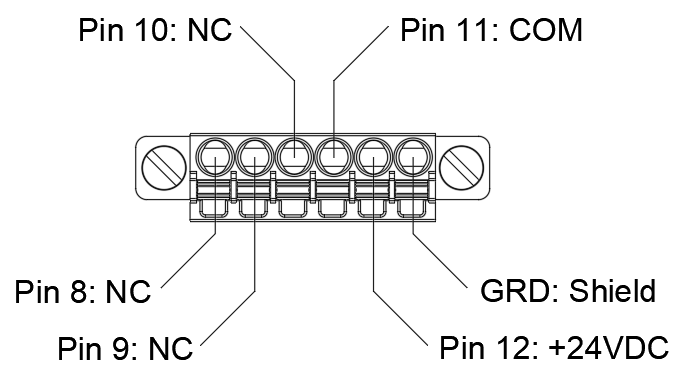
Pins 8-12 + GND are wired into a 6P 5A Female Mini Combicon Header Phoenix Contacts:
### ACCESSORY INPUT
This connection is a standard locking Harting connector (IRC 21mm x 21mm (3A) 12P 10A). This connection is designed to be plug and play for patching Control Connection Points throughout your venue.
Below is the pin-out for the Showstopper Accessory output:
## TROUBLESHOOTING
### COMMON CHALLENGES
All challenges faced with the Showstopper 3 Accessory Patch Panel will be connection issues.
* Check that you are connected to an Accessory Output with the Showstopper 3 Base as the source.
* Check that your screw terminals are wired correctly.
* Check that your screw terminals have a tight connection.
* Verify that any Accessory Output in your Showstopper 3 Emergency Stop Network is terminated.
See other device manuals for more troubleshooting for each specific device.
## TECHNICAL SUPPORT
If you get stuck, we’re here to help. The best way to get in touch with a tech expert is via email - even during normal business hours - because most days we are spread around the shop and may not be near the phone. There’s someone in the office from 8:30a-5pm EST Monday - Friday and will return an email or phone call quickly. After hours, (honestly when most tech support issues arise) we have a crack team monitoring email and voicemail who will respond quickly to help get you moving.
* Online: [www.creativeconners.com](https://www.google.com/url?q=http://www.creativeconners.com\&sa=D\&source=editors\&ust=1676052164191326\&usg=AOvVaw0H8UqWahMnZjbN27dYBUP_)
* Email:
* Phone: 401-289-2942 x2
## SPECIFICATIONS
### PHYSICAL SPECIFICATIONS
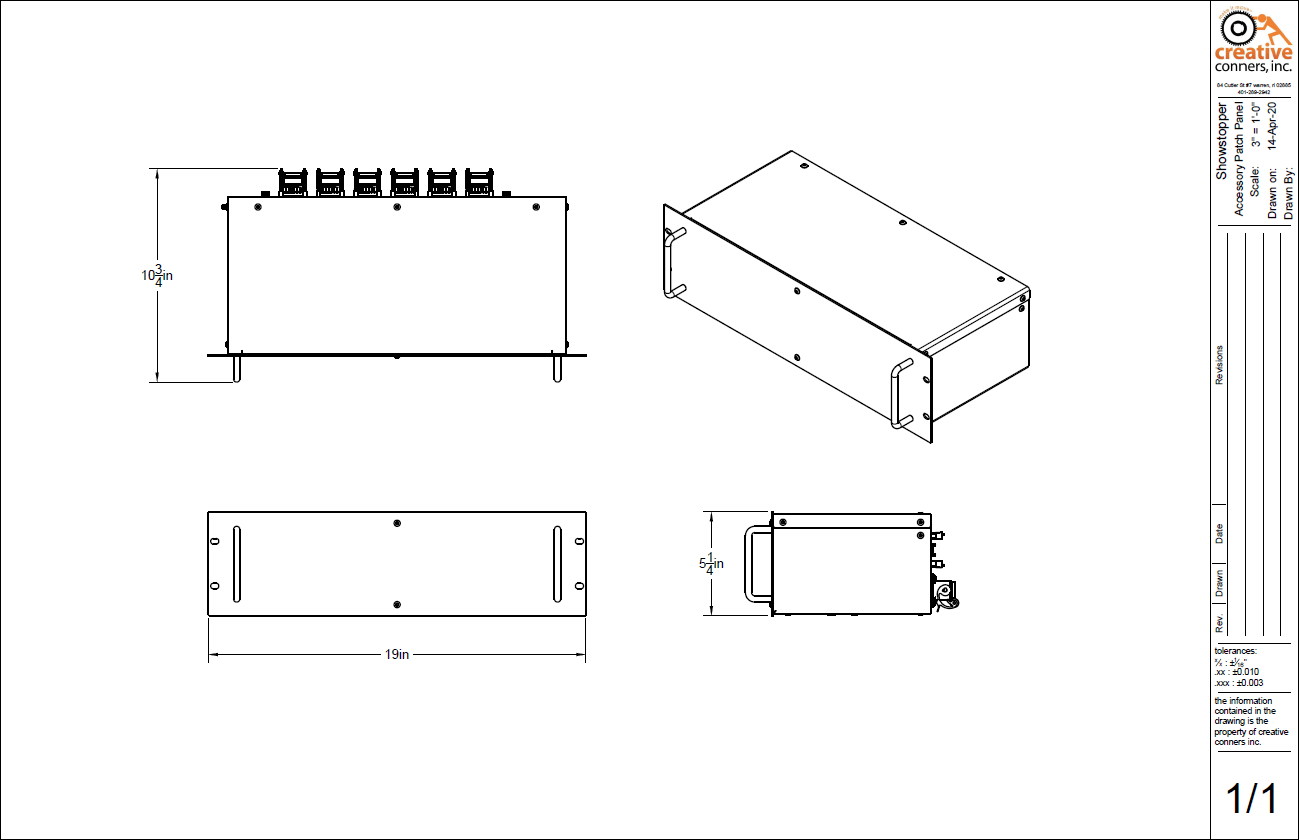
The Showstopper 3 Accessory Patch Panel is packaged in a standard 19” x 3U rackmount case. The overall dimensions are: 17”W x 8”D x 5-1/8”H.
| Description | Value |
| --------------- | ----- |
| Shipping Weight | 12lbs |
| Weight | 9lbs |
### ELECTRICAL SPECIFICATIONS
| Description | Value |
| ------------------------------ | ----- |
| Accessory Input/Output Voltage | 24VDC |
## DRAWINGS
### OVERVIEW DRAWING
### WIRING DIAGRAM
{% file src="/files/fvfZB3FLgOUoDqhhEprW" %}
---
# Agent Instructions
This documentation is published with GitBook. GitBook is the documentation platform designed so that both humans and AI agents can read, navigate, and reason over technical content effectively. Learn more at gitbook.com.
## Querying This Documentation
If you need additional information that is not directly available in this page, you can query the documentation by asking a question.
Perform an HTTP GET request on the following URL with the `ask` and `goal` query parameters:
```
GET https://docs.creativeconners.com/docs/showstopper/showstopper-accessory-patch-panel.md?ask=&goal=
```
`ask` is the immediate question: it should be specific, self-contained, and written in natural language.
`goal` is what the user is ultimately trying to achieve, the reason they need the answer. Sharing it helps GitBook give you a better, more relevant answer. A goal is most helpful when it describes the outcome the user wants rather than restating the question. For example, with `ask=how do I create an API token`, a goal like `automate deployments from our CI pipeline` lets GitBook tailor the answer to that use case.
The response will contain a direct answer to the question and relevant excerpts and sources from the documentation.
Use this mechanism when the answer is not explicitly present in the current page, you need clarification or additional context, or you want to retrieve related documentation sections.
.png?alt=media)